Unlimited clipboard history
Never lose a copied item again. Cliptray keeps every clip for as long as you want it, so you can scroll back to this morning or to last March.
Cliptray keeps every copy, searchable in milliseconds. Built for the copy-paste-heavy days that eat your afternoon.
Free for Windows and Mac. No account, no card, no trial clock.
Thirty seconds on how every copy is kept, searched, tagged and pasted, across Windows and Mac.
Since launch
Real people on Windows and Mac, copying and syncing every day.
65
people using Cliptray
1
using today
3
active this week
Cliptray works system-wide, alongside everything already open on your desk.


Unlimited history, image copy, private sync across macOS, Windows, and Linux, plus the controls to keep sensitive clips out.
Never lose a copied item again. Cliptray keeps every clip for as long as you want it, so you can scroll back to this morning or to last March.
Start typing and Cliptray filters everything you have ever copied, ranked by how recently you used it.
Copy images alongside text, links, and code. Cliptray keeps the visual clip ready to paste when you need it.
Keep the snippets you reach for daily parked at the top of the tray.
Categorise clips by project or client so the right set is one keystroke away.
Copy on macOS, Windows, or Linux and paste on another device. Your clipboard stays in step wherever you work.
Tweak text inside the tray before you paste it. No detour through a scratch file.
Fully customisable hotkeys. The tray opens where your hands already are.
Your synced clips are encrypted end to end, so only your devices can read what moves between them.
Turn it on and Cliptray skips passwords and API keys. Sensitive text is never copied into your history or sync.
Copy five things, then paste. Smart Paste reads the field your cursor is in and puts the one that belongs there first — so the link lands in the address bar and the phone number lands in the phone box.
Press Win+Alt+P
Where your cursor is
Message body
Hi Dana, here is the link to the pricing page:
Your clipboard, ranked for this field
A caret sitting just after “https://”, or a sentence that says “here is the link”, is not ambiguous. This is the strongest signal and it outranks everything else.
Your operating system reports the focused field by name — To, Search, Phone number, Address bar. A link belongs in one of those and not the others.
Pick something once in a given place and Smart Paste remembers it for next time. It only ever learns from your own choices, never from its own guesses.
With nothing else to go on it falls back to the most recent clip, which is exactly how an ordinary clipboard history behaves.
No model to download, no server call, nothing uploaded. Your clipboard never leaves your machine to be ranked.
The ranking happens between your keystroke and the window appearing. There is nothing to wait for.
When the evidence genuinely runs out it shows you the ranked list instead of guessing, with the reason it ordered them that way.
One keystroke opens Cliptray over whatever you are working in. Here is the whole window, from the full history to the rules that govern it.
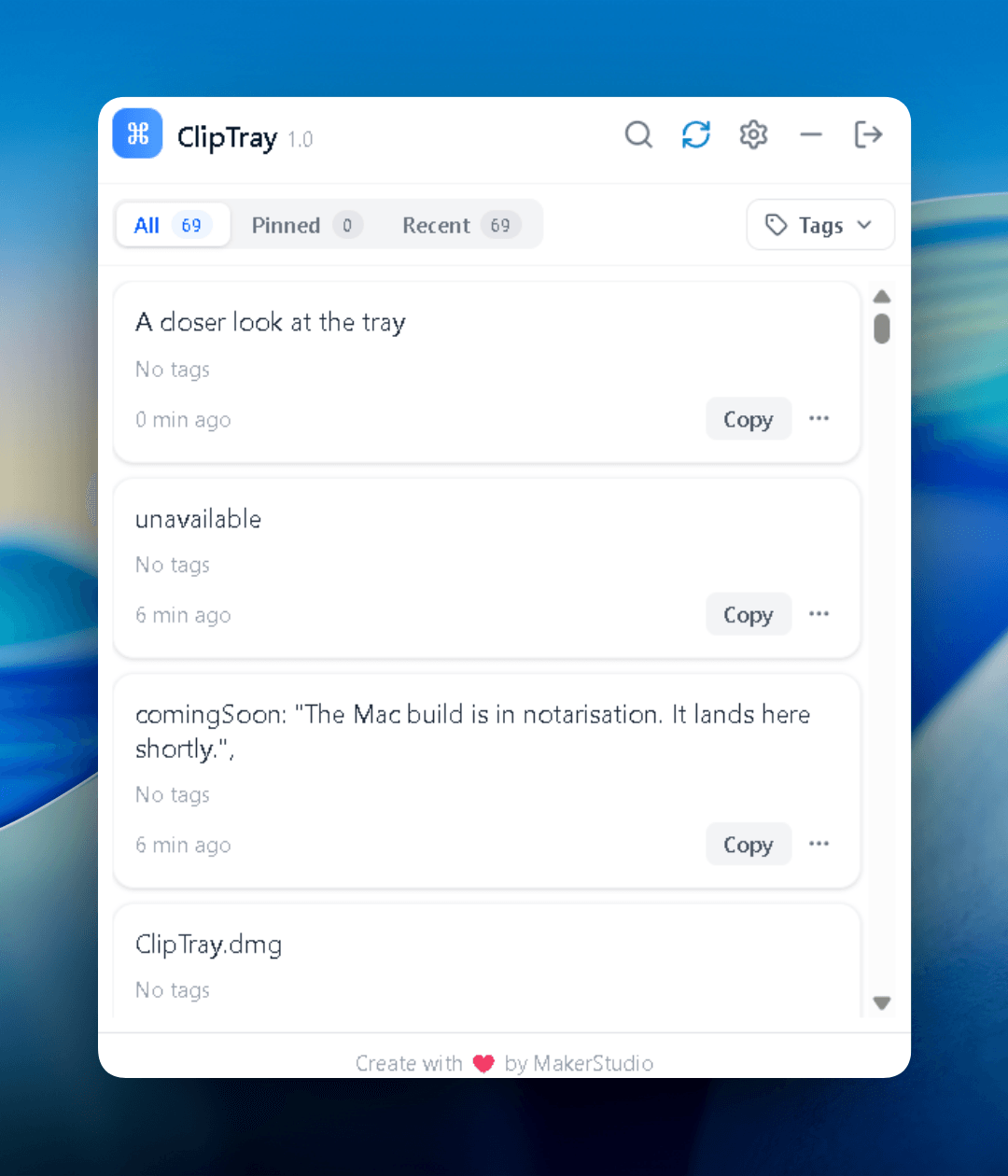
The tray opens on everything you have copied, newest first. Nothing is dropped after the twenty-fifth item.
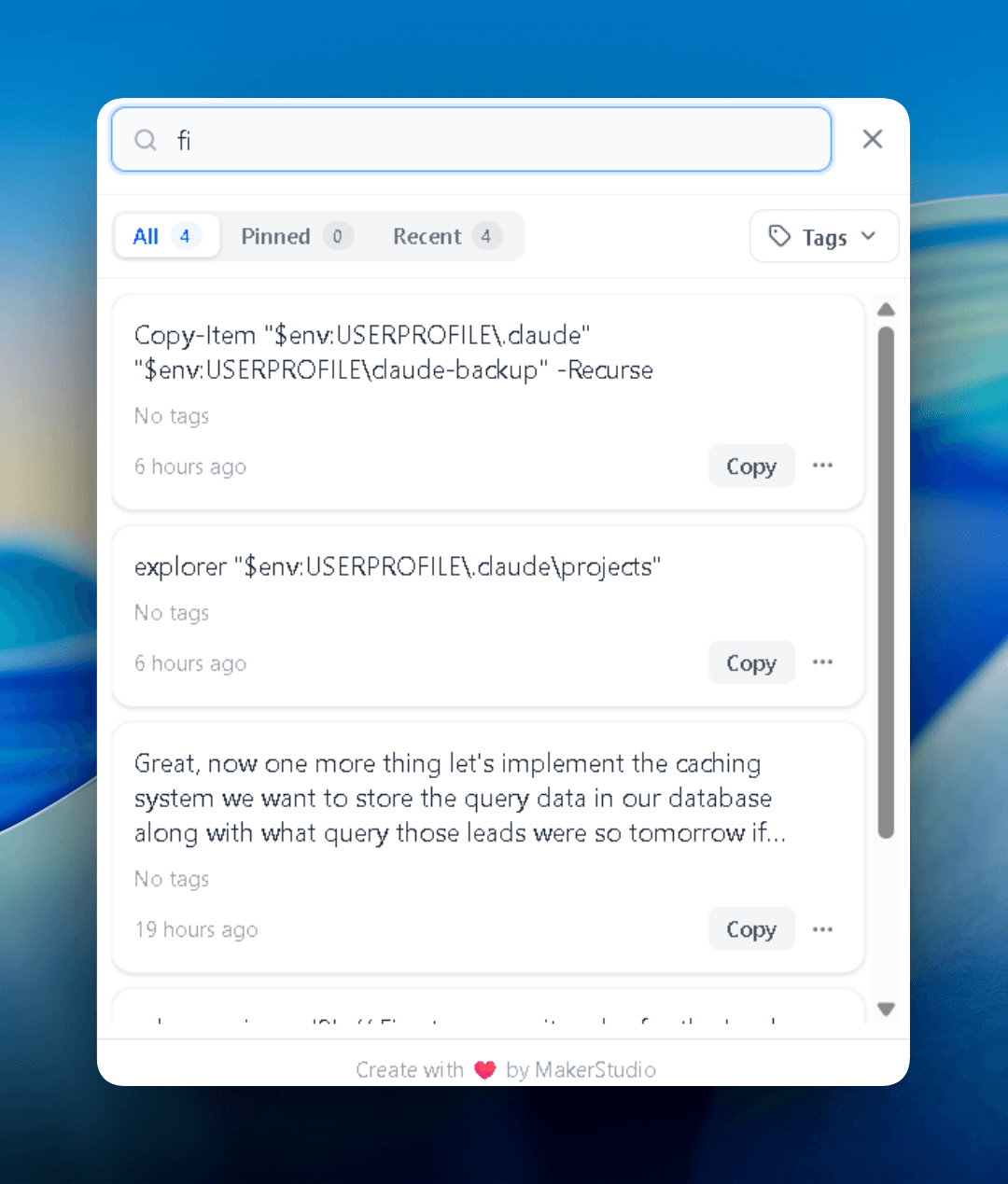
Start typing and the list narrows to matching clips, across everything you have ever copied.
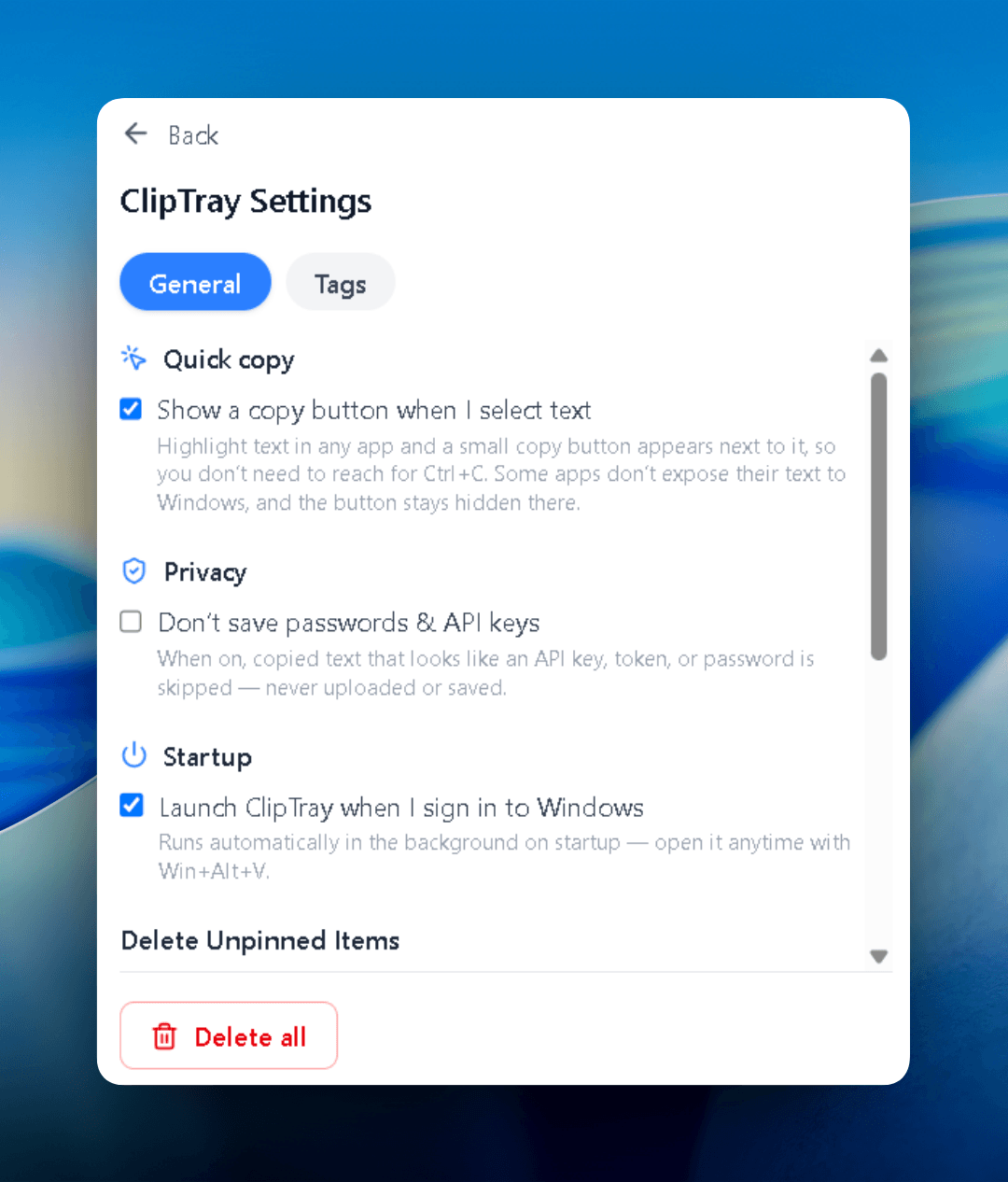
Switch on Privacy Mode and passwords or API keys are skipped before they reach your history.
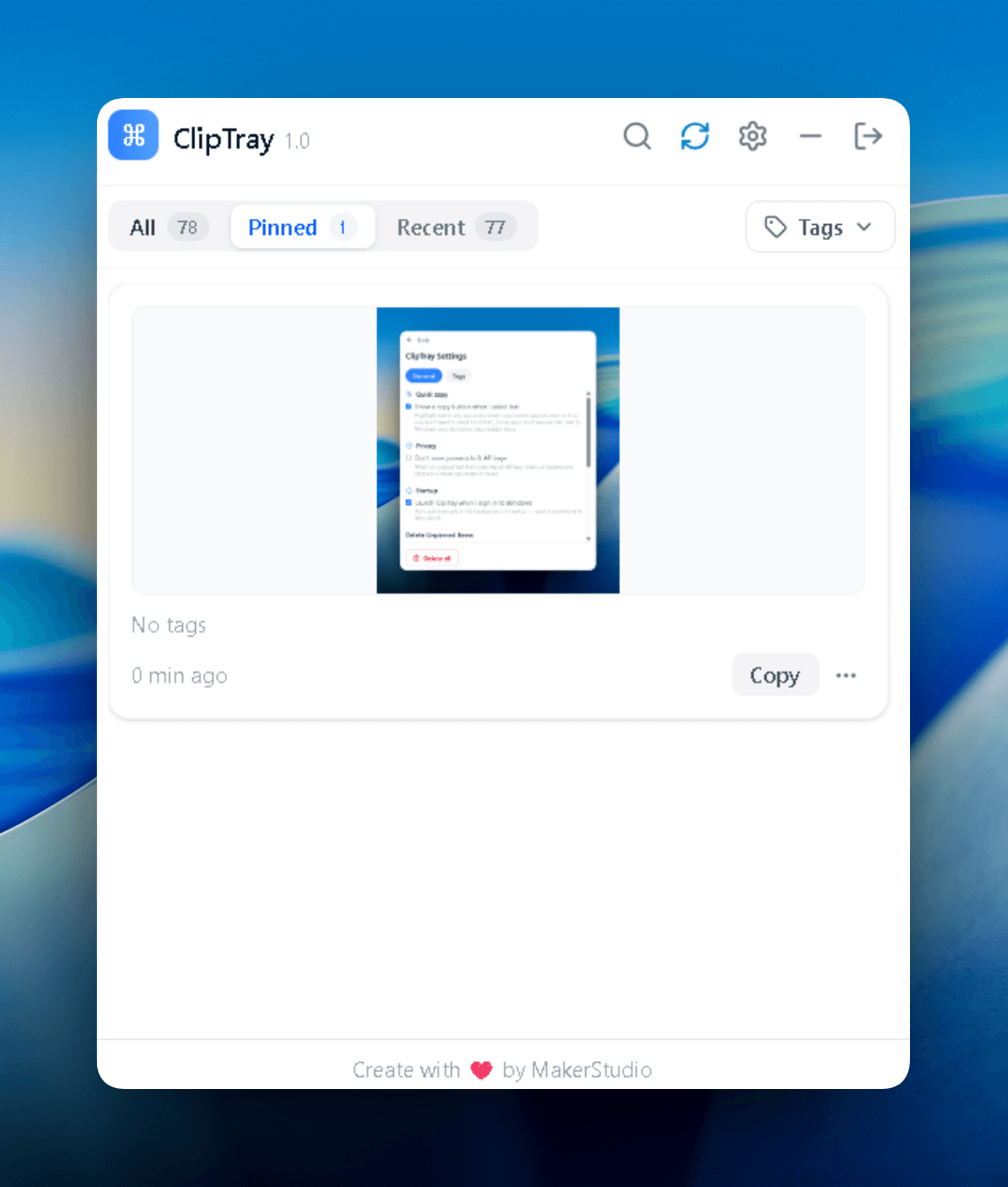
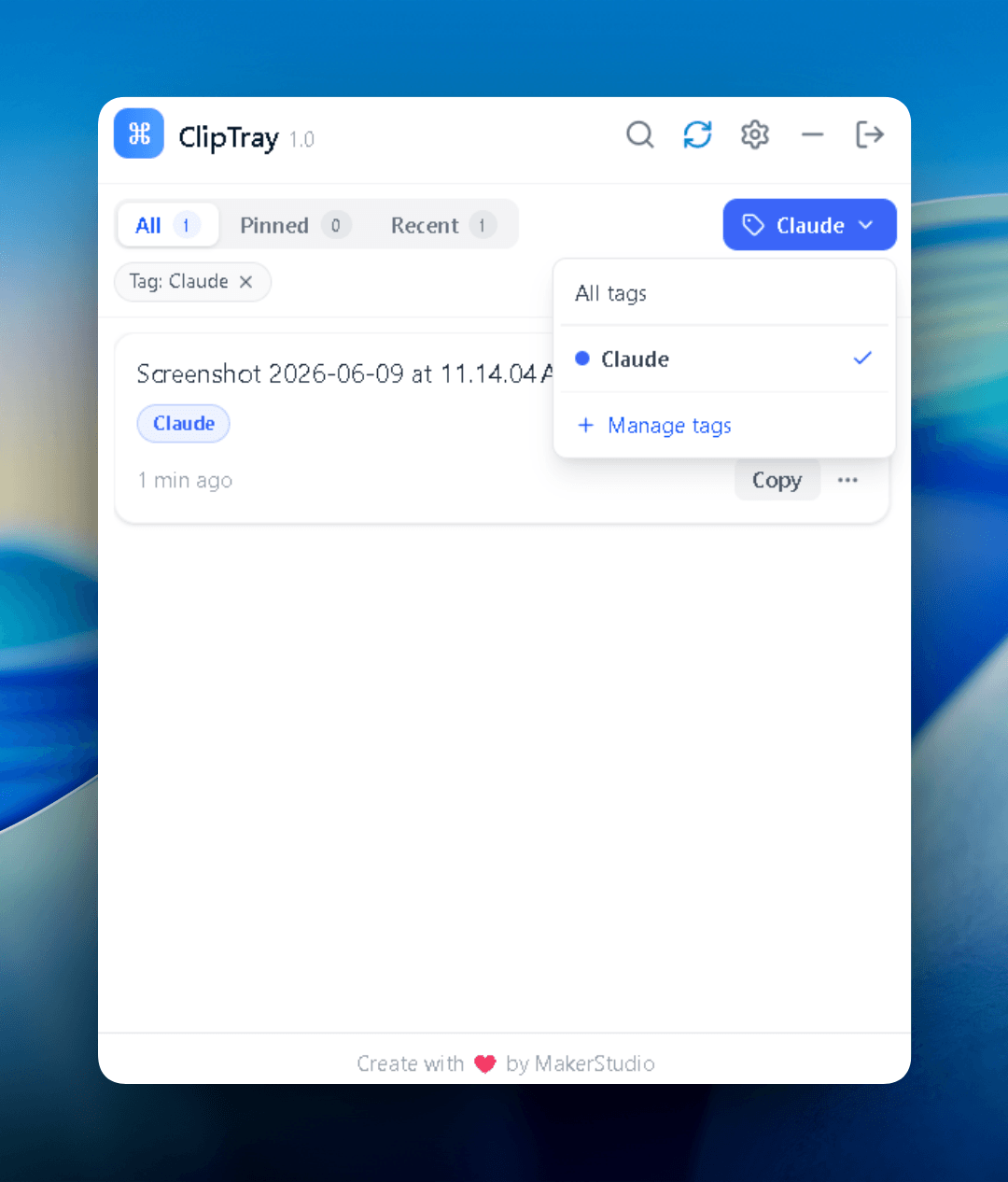
Tag clips by project or client, then pull up just that set and copy straight from the row.
Images live alongside your text and links, ready to paste from the same history.
Windows caps history at 25 items and Mac OS keeps exactly one. Here is the rest of it, side by side.
Mac users without clipboard history, mixed Windows and Mac desks, and people who wanted sync without another subscription.
“Mac OS gives you one undo on the clipboard. I was losing links and snippets ten times a day. Cliptray is part of my daily routine now.”
“Windows for client builds, MacBook for everything else. Sync is flawless. Copy on one machine, paste on the other within seconds.”
“I compared Paste and a few subscription tools. Cliptray does what I need for a one-time price and saves me time every single day.”
Cliptray Pricing
Unlimited clipboard history and pinned clips, priority support, and all future features.
$0forever
Get started in seconds, no card required.
Free forever
Best value
$29one-time
Everything in Free, with no limits.
Secure checkout. Instant activation.
Open source
Cliptray's app is open source. Clone the repository, build it, and self-host, no licence and no limits.
Everything you need, included forever.
Never lose a copied snippet.
Keep the clips you reach for daily at the top of the tray.
Tag clips and filter the list in one keystroke.
Find any clip in milliseconds.
Edit a clip in the tray before you paste it.
Copy on one machine, paste on the other.
Install it, set one hotkey, and carry on. Your clips stay on your own machine unless you switch on sync.